NTC Tech Connect 2026 here we go - Deploying SP Central


Today I started my journey to San José and Nutanix headquarters. What better way to spend a flight of more than 13 hours to sunny California than writing a blog post?
At Aderian GDM, we have recently been evaluating Nutanix Service Provider Central for use in our managed service provider platform. We have been running Nutanix in our MSP business for almost a decade, and the Projects 2.0 capabilities provided through SP Central are a very welcome update for us.
Follow along in this blog series as I deploy SP Central and document the architecture, configuration, and lessons learned. In this first post, we will cover the prerequisites, initial network preparation, and DNS records.
Preparing to deploy SP-Central
To get SP-central working you need to do a few things in your environment. This are the prerequisites for deploying SP-Central:
- Start by running a full Life Cycle Manager inventory in Prism Central. This ensures that the available software and firmware metadata is current before you begin.
- The following versions were used and verified in this lab on October 23, 2026. These are the versions used in this deployment, not a universal statement of minimum supported versions. Always verify the current Nutanix compatibility matrix and SP Central release notes before deploying in another environmen:
- AOS 7.6.x
- AHV 11.2.x
- PC MarketPlace 4.4.2
- Nutanix Central 2.1
- SP central 1.0
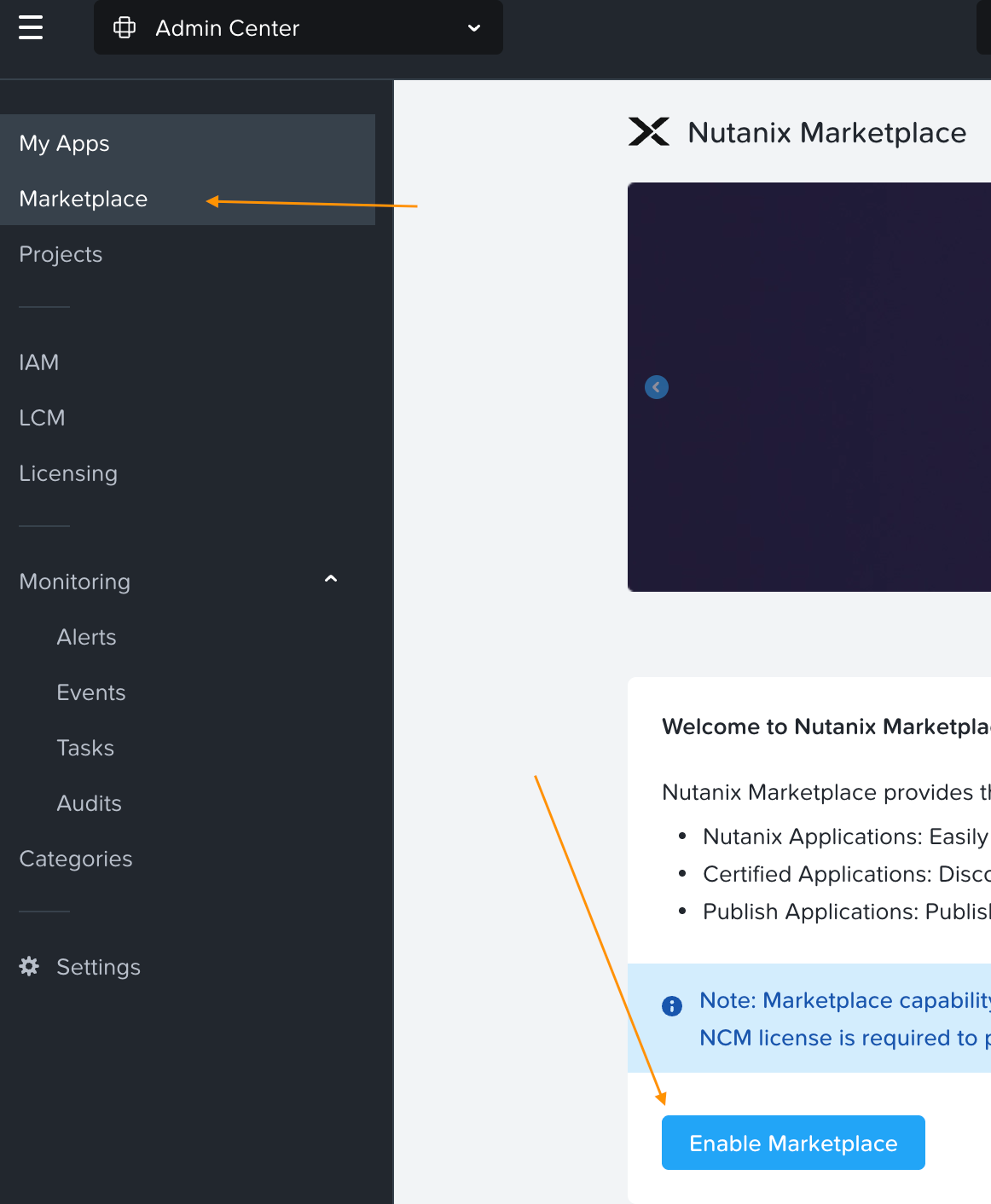
- Enable Marketplace:
- If Marketplace is not already enabled, open Admin Center → Marketplace in Prism Central and select Enable Marketplace.
- Enable Flow Virtual Networking
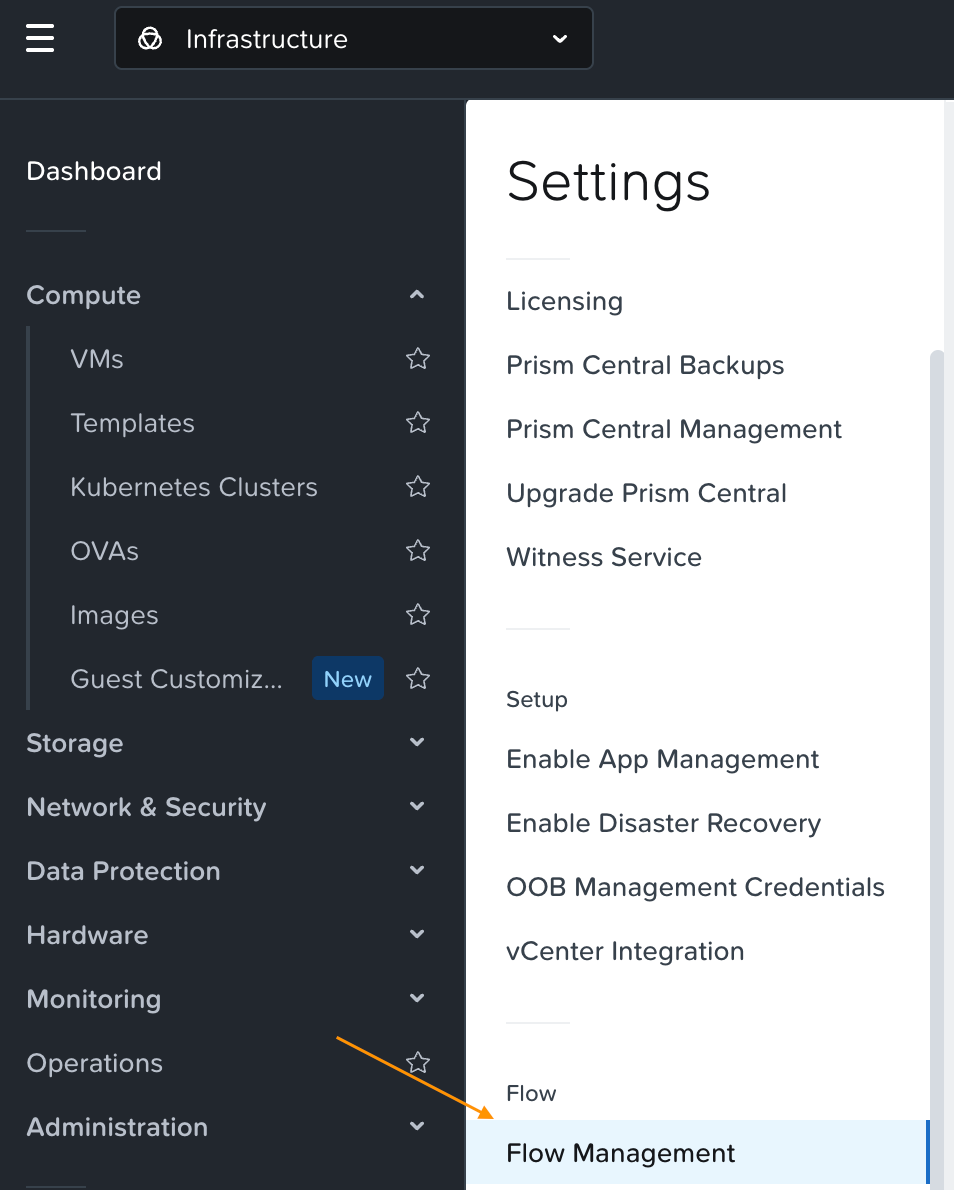
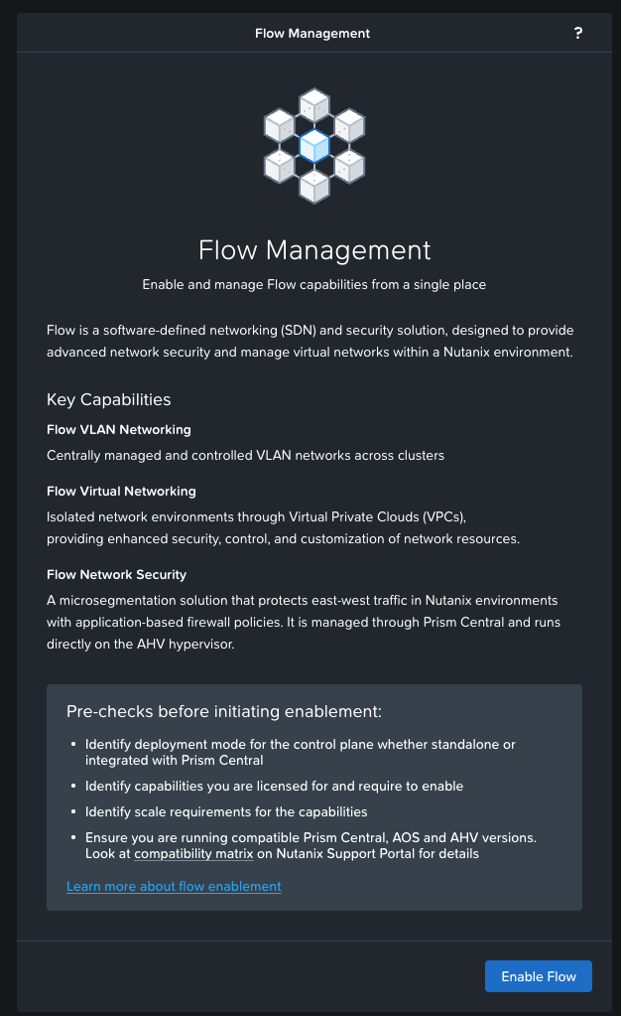
- Nutanix/SP -Central uses Flow Virtual Networking for VPCs, overlays, external connectivity, and tenant networking. Enable Network Controller before deploying the SP Central networking components.
- Open Prism Central settings and go to Flow Management.
- Then click the enable button.
- Chose "Integrated with Prism Central" mode, since NC / SP Central does not have support for standalone mode yet.
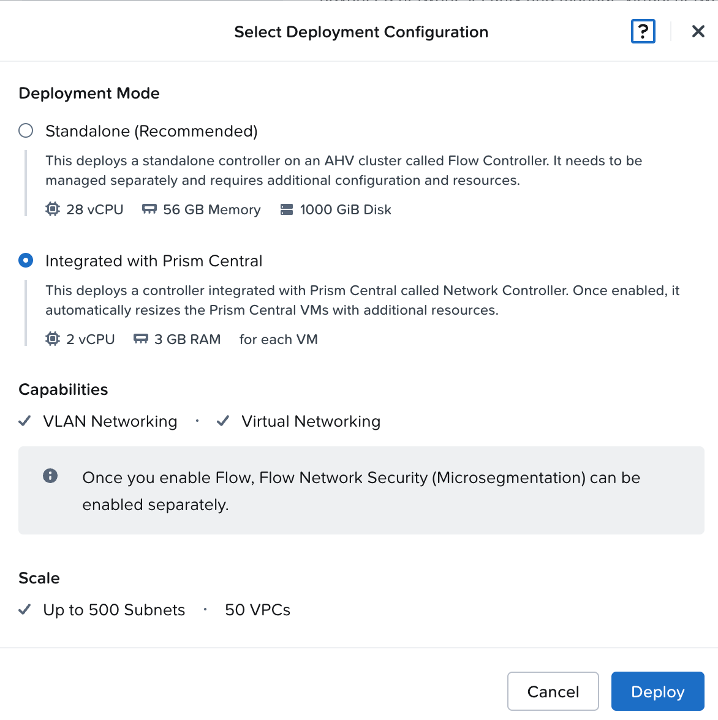
- Hit Deploy
- Prepare the Nutanix Central Management Network
- Next, choose the network on which the Nutanix Central appliances and external VIPs will be deployed.
- For this POC, I used our NFR lab cluster and placed Nutanix Central on the existing management VLAN used by the lab infrastructure. This simplifies the POC but is not the recommended production design. In production, use a dedicated management or DMZ network based on your security requirements.
- I created a new subnet in PC with IPAM enabled and the IP-Pool of 10.x.x.101 to 10.x.x.110.
- And for the sake of this DEMO i have also deployed a Windows Domain Controller on the same VLAN as the CVMs (not recommended in production). We put that domain controller on 10.x.x.111. And I put it as the DNS server in the IPAM settings.
The domain is called "sp-test.gdmcloud.se"- This domain controller is also a Enterprise CA with the web-enrollment service enabled. They we will be enroll the certificates needed for this POC.
- This blogpost wont cover the setup of the domain controller nor the configuration of the Enterprise CA.
- Create the Required DNS Records
- I used a powershell script to create the required DNS records
$ZoneName = "sp-test.gdmcloud.se"
$VIPs = @("10.xx.xx.114", "10.xx.xx.115")

$DnsRecords = @(
    "nexus",
    "iam.nexus",
    "*.domains.nexus",
    "*.services.nexus",
    "*.transport.nexus",
    "enter",
    "iam.enter",
    "*.domains.enter",
    "*.services.enter",
    "*.transport.enter",
    "*.tenants.enter"
)

foreach ($record in $DnsRecords) {
    foreach ($ip in $VIPs) {
        Add-DnsServerResourceRecordA `
            -ZoneName $ZoneName `
            -Name $record `
            -IPv4Address $ip `
            -CreatePtr:$false
    }
}- The Records created was:
nexus.sp-test.gdmcloud.se
iam.nexus.sp-test.gdmcloud.se
*.domains.nexus.sp-test.gdmcloud.se
*.services.nexus.sp-test.gdmcloud.se
*.transport.nexus.sp-test.gdmcloud.se

enter.sp-test.gdmcloud.se
iam.enter.sp-test.gdmcloud.se
*.domains.enter.sp-test.gdmcloud.se
*.services.enter.sp-test.gdmcloud.se
*.transport.enter.sp-test.gdmcloud.se
*.tenants.enter.sp-test.gdmcloud.se
- Verify both direct and wildcard records from PowerShell:
Resolve-DnsName nexus.sp-test.gdmcloud.se
Resolve-DnsName iam.nexus.sp-test.gdmcloud.se
Resolve-DnsName test.domains.nexus.sp-test.gdmcloud.se
Resolve-DnsName enter.sp-test.gdmcloud.se
Resolve-DnsName test.tenants.enter.sp-test.gdmcloud.se
- Each query should return the following
10.xx.xx.114
10.xx.xx.115
Prism Central and the deployed applications must be able to resolve both the internal SP Central records and external Nutanix and container registry endpoints.
With Marketplace, Network Controller, the management subnet, DNS, and the internal CA prepared, the environment is ready for certificate enrollment and Nutanix Central deployment. That will be covered in the next part.
The next part will be writen on the KLM KL0605 tomorrow during the flight. Cya tomorrow.