AWX Schedules for Autopatching playbooks


So, if you have read my previous posts on autopatching for Windows and Linux templates in our environments:
Windows Post:
 Jonas Högman
Linux Post:
 Jonas Högman
Now you wonder: How do I schedule those to be automatically patched every month? The answer: we use AWX.
So the first thing here: we create the templates according to our playbook layout in the repository containing the playbooks. I have a lot of different templates in AWX for patching.
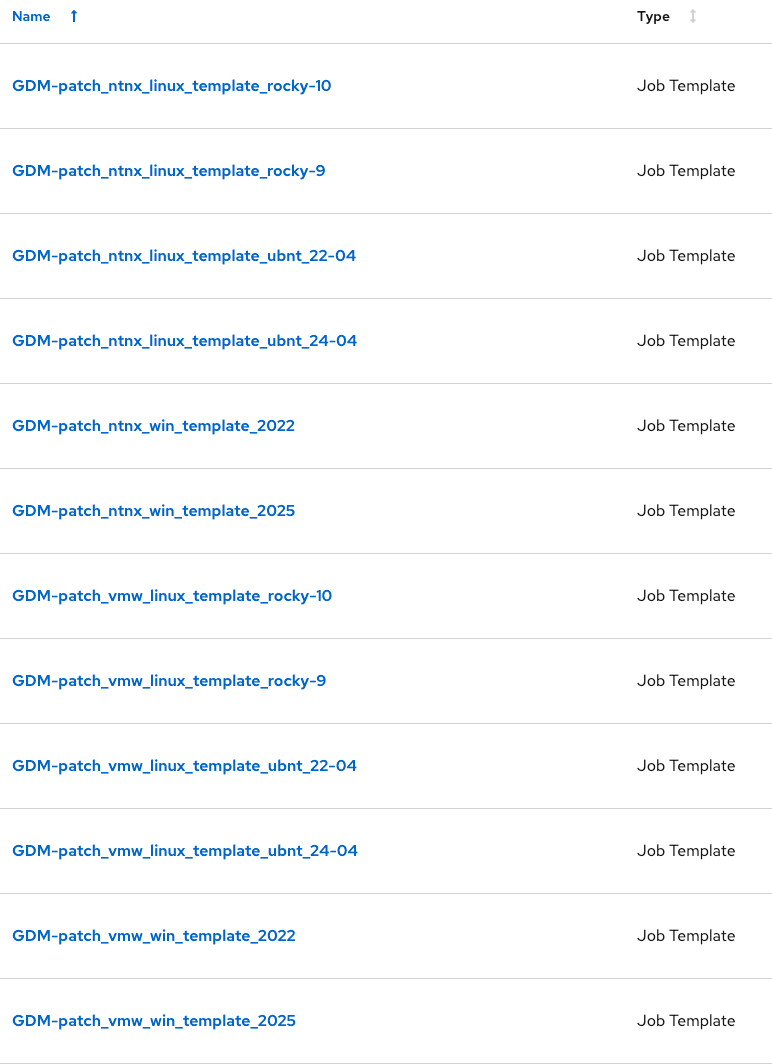
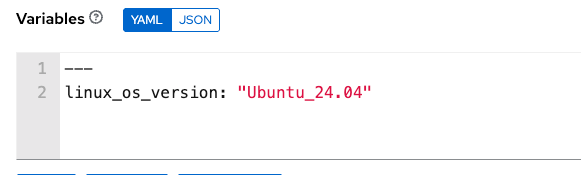
They use the same playbooks but differ depending on what platform the target is. And how do I choose what platform/OS it should update? On each template, I run it with different extra vars.
So, for example, for Windows 2025 on Nutanix, I start the playbook GDM-patch_ntnx_win_template_2025 job with those extra_vars.
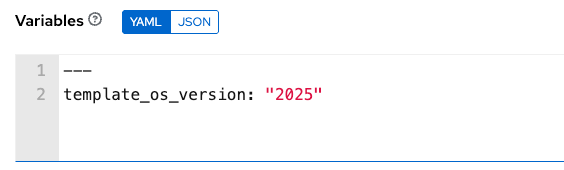
And the same logic for Linux.
Then I schedule the different playbooks to run at different times once a month according to my preferences.
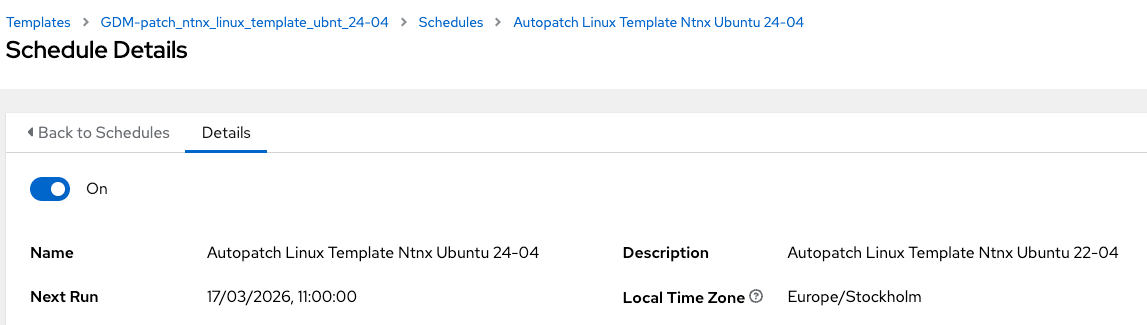
Our Network Operations Center monitors the jobs, and if some of them fail, I get a call or a ticket to fix the issue.

And in that case, it’s nice that we’re always cloning the templates to patch, and if something breaks halfway, the old template is always there for us to continue to use in our workflows to clone VMs. 😄
Thank you for reading :)